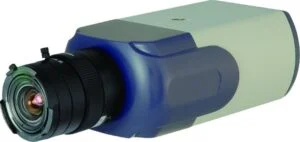
Dynacolor W6 - CB1A0 |

Integration

CathexisVision Version: 2014 ++
Firmware: z120121116NSA
Tested: Yes

Image

Dynacolor-W6-BA1A0-300x142

Technology Partner

DynaColor-1
Dynacolor

Description

Setup Notes : Audio format needs to be set up on the web interface as G711u or G711a. To have access to the audio output, the duplex mode needs to be set to full/half/post. Motion / Tamper detection notifications need to be set up on the camera as follows: System->HTTP: Set up Http server to ‘:32305’ System->Motion Detection: Set up motion detection window and set trigger action to ‘Send Http notification’, select Http server and trigger string in custom parameters System->Tampering: Enable tampering alarm and set trigger action to Send Http notification’, select Http server and trigger string in custom parameters Limitations : Video streams need to be set up on camera; can not be modified from Catsite. CatVision 2014 Service Pack 1 or later, addresses a unique Dynacolor I frame configuration, that results in video playback (on review) appearing to “jerk”. Service Pack 1 corrects for this.

Camera Details

Type:
Camera
Channels:
1
Streams:
4
Protocol:
Onvif
Multicast:
Yes
Audio:
Listen only
Edge Insertion:
No
VMD:
No
Codex:
H264
MJPEG
Edge Review:
No
Resolution: 5MP(2592 x 1944)
Scroll to Top

User Registration

10 Website registration
First
Last
Only lower case letters (a-z) and numbers (0-9) are allowed. Minimum of 8 characters.
An activation email will be sent to you
Confirm Email
Interested industries
How did you hear about us?
I am interested in learning more about CathexisVision and staying up-to-date with the latest industry trends. (Opt-in to receive email notifications)

Book a CathexisVision demo

First
Last
Interested industries
How did you hear about us?
I am interested in learning more. (Subscribe to updates)