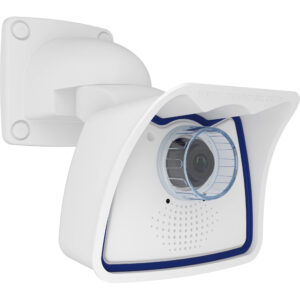
Mobotix M26 |

Integration

CathexisVision Version: 2017 SP3
Firmware: MX-V5.0.1.53
Tested: No

Image

Mobotix_M26-300x300

Technology Partner

mobotix
Mobotix

Description

Limitations: I/O is not supported Stream 2 on the camera is limited to what stream 1 is set to. Eg Stream 1 resolution -> 6.2MP the only option for the resolution for stream 2 is 6.2MP. To setup Motion Detection: 1.)Log in to cameras interface * Setup Menu -> Event Control: (Event Overview) -> Image analysis Events -> Edit * Make sure all other events are inactive except for VM. * In cameras live view, hold shift button and click on the screen to draw a rectangle then under VM event -> ensure Video motion is selected -> click add rectangle -> select highlight selected to show all zones that will trigger VM. * set and click close from the bottom of the screen. 2.) * Open Admin setup tab -> look for Transfer Profiles: select IP Notify protocols -> Add New profile -> Configuration for new profile: IP Notify type: (Custom) Destination address: (192.168.15.204 : 32121) (IP address of receiver) : (Use this port number) (Select parallel send to all) Data Protocol: (Raw TCP/IP) (–nextimage–) DataType: (Plain Text) (Add this in text field as is): $(EVT.EST.ACTIVATED) Send port: (0) * Set and then select Close button from the bottom of the screen. 3.) * Open setup tab -> Look for Event Control: Action group Overview -> Add new group Configuration for the new action group: Enter a name for group -> select enabled -> select no time table -> select edit button -> Action Group: (Choose a name that you want to use) (Select enabled) (Select no time table) Event Selection: Choose (Select all) Action Details: (5) (Simultaneously) Add new Action -> Select your IP Profile created in the drop-down seen. ex(IP Notify:IP-Notify6). Set and the close using button on bottom of screen.

Camera Details

Type:
Camera
Channels:
1
Streams:
2
Protocol:
Native
Multicast:
No
Audio:
Listen only
Edge Insertion:
No
VMD:
Yes
Codex:
MJPEG
MxPEG
Edge Review:
No
Resolution: 6.2MP (3072×2048), 5.0MP (2592×1944), 3.1MP (2048×1536), 2.0MP (1920×1080), 1.2MP (1280×960), 0.9MP (1280×720), XGA (1024×768), 480kP (800×600), 442kP (768×576), 4CIF (704×576), VGA (640×480), 110kP (384×288), CIF (352×288), QVGA (320×240) and 19kP (160×120)

Camera Events

Camera Events Motion Detection Supported (See Limitations) Zones: 2 Trigger Message: VM, VM2 MxActivity Sensor: Supported but not tested Trigger Message: AS Audio Detection: Supported but not tested Trigger Message: MI
Scroll to Top

User Registration

10 Website registration
First
Last
Only lower case letters (a-z) and numbers (0-9) are allowed. Minimum of 8 characters.
An activation email will be sent to you
Confirm Email
Interested industries
How did you hear about us?
I am interested in learning more about CathexisVision and staying up-to-date with the latest industry trends. (Opt-in to receive email notifications)

Book a CathexisVision demo

First
Last
Interested industries
How did you hear about us?
I am interested in learning more. (Subscribe to updates)